Having trouble logging in for the first time or from a new browser?
When setting up your Zai Dashboard account, you may see the error message:
"Something went wrong. Please contact support@hellozai.com."
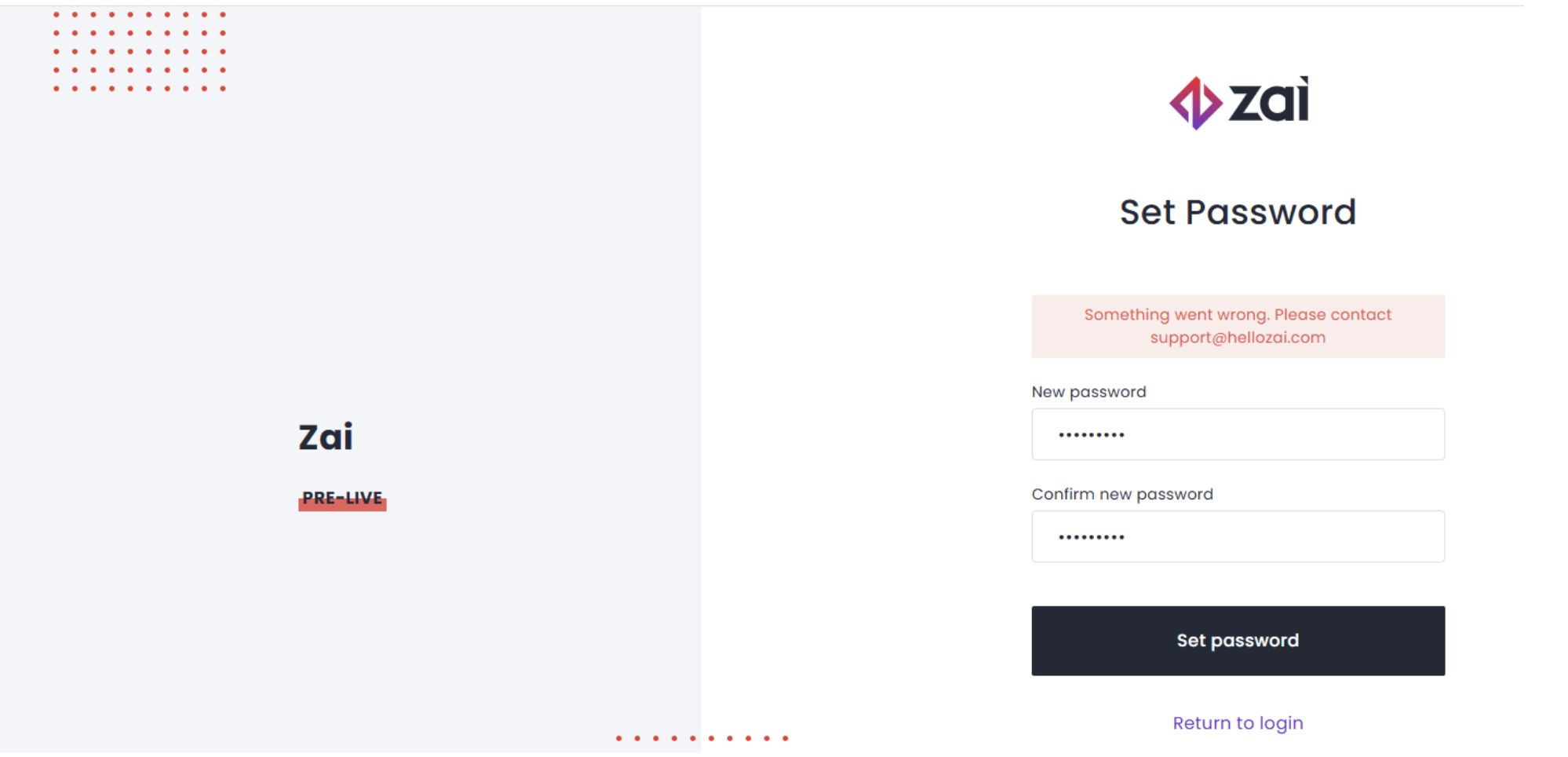
This article provides step-by-step guidance to help you resolve common first-time login issues and complete your account setup.
Step 1: Make Sure Your Invite Hasn't Expired
- Temporary credentials expire 24 hours after the invite email is sent.
- If yours have expired, request new credentials by emailing support@zaipayments.com.
Tip: Activate your account as soon as you receive the invite to avoid your credentials expiring.
Step 2: Check Credential Accuracy
- Check case sensitivity: Your temporary password contains a mix of alphanumeric and special characters. Enter every character exactly as shown in the email — copying and pasting is the safest option. Take care not to include an extra space before or after the password when copying.
- Confirm credential validity: If you've received multiple invite emails, use the credentials from the most recent one. Earlier credentials are no longer valid.
Step 3: Browser & Session Checks
- Use a supported, up-to-date browser such as Chrome, Edge, Safari, or Firefox.
- Always sign in at the secure URL: https://dashboard.hellozai.com.
- Clear your browser cache and cookies, then re-enter your credentials to start with a fresh session.
- Try your browser's Incognito/Private mode to rule out stored sessions or extensions interfering with login.
Step 4: Rule Out Network Issues
To check whether your network is blocking the login process, try logging in from a different connection:
- Log in to the Zai Dashboard on your phone using cellular data only (Wi-Fi turned off), or
- Enable your phone's mobile hotspot and connect your computer to it over Wi-Fi.
Note: Connect to the hotspot via Wi-Fi only — not USB or Bluetooth tethering.
If login succeeds on mobile data but not on your office or home Wi-Fi, your network is likely blocking the login:
- DNS: Reconnect to your original Wi-Fi and update your device's DNS settings to 8.8.8.8 (Google) or 1.1.1.1 (Cloudflare), then try again. On a company-managed device or network, ask your IT team instead — they may need to allow authentication traffic to the Zai Dashboard.
- VPN/proxy: Temporarily disable any VPN or proxy, as these can block authentication redirects.
Still Unable to Log In?
If you've tried the steps above and still can't access the Zai Dashboard, contact Zai Technical Support at support@zaipayments.com with:
- The email address your invite was sent to and when you received it
- A screenshot of the error message
- The browser and device you're using
Our team may send new login credentials or provide further troubleshooting steps.
Additional Security
Once you've logged in successfully, we strongly recommend enabling Multi-Factor Authentication (MFA) to protect your account with an additional layer of security.
Was this article helpful?
That’s Great!
Thank you for your feedback
Sorry! We couldn't be helpful
Thank you for your feedback
Feedback sent
We appreciate your effort and will try to fix the article